Ghost Phishing: Why a Clean URL Scan No Longer Means a Clean Page

Quick Answer
Ghost phishing is a delivery technique in which a phishing page ships as AES-GCM-encrypted HTML and only decrypts inside the victim's browser using the built-in Web Crypto API. Because the malicious login form and instructions never appear in the raw HTTP response, URL scanners, secure email gateways, and static analysis tools that inspect the response without executing JavaScript see only opaque ciphertext and a generic decryption script, so they score the page as clean. The technique was documented by ANY.RUN in the EvilTokens campaign, which pairs it with Microsoft Device Code phishing to take over Microsoft 365 accounts without stealing a password. The defense is to stop trusting a static verdict: inspect links at the moment of click with a scanner that fully renders the page (executes JavaScript and Web Crypto, watches the DOM) or detonates the URL in an instrumented sandbox, and to back that with predelivery filtering and identity controls that block device code flow.
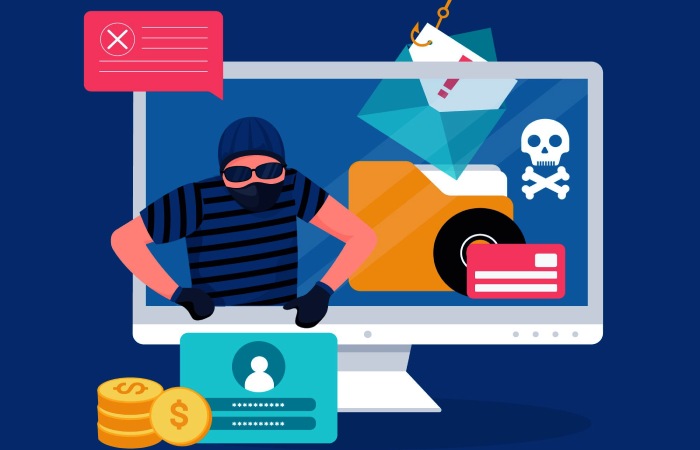
A phishing link lands in an inbox. Your email gateway follows it, fetches the page, scans the response, and finds nothing worth blocking. No login form. No suspicious redirects. No known phishing template. The message is delivered. An hour later an employee clicks, and a convincing Microsoft sign-in prompt renders in their browser. The page that your tools called clean was never clean. It was just hiding.
This is the pattern behind what researchers at ANY.RUN have started calling ghost phishing, uncovered while analyzing a campaign known as EvilTokens. It is not a new lure or a cleverer subject line. It is a change in where and when the attack becomes visible, and it targets a blind spot that sits in most email security stacks.
The trick: encrypt the page, decrypt it in the victim’s browser
Traditional phishing pages carry their payload in the open. The fake login form, the branding, the credential-stealing script, all of it lives in the HTML that a server returns. That is exactly what a URL scanner or a secure email gateway is built to read. Fetch the page, look at the response, match it against patterns for credential forms and known kits, assign a score.
Ghost phishing breaks that assumption. Instead of shipping the phishing page as readable HTML, the attacker ships it as AES-GCM ciphertext with a small, innocent-looking JavaScript decryptor. When a scanner fetches the URL, the response body is opaque encrypted data plus a routine that calls the browser’s built-in Web Crypto API. There is no login form to find, because at that moment the login form does not exist in any readable form. It only comes into being after a real browser runs the script, decrypts the payload, and writes the phishing content into the page’s DOM.
The result is a genuine visibility gap. The tool that inspected the link and the human who eventually sees the page are looking at two different things. Your gateway saw a blob of cryptography. Your employee saw a pixel-perfect Microsoft login screen.
A few details make this harder to catch than it first sounds:
- Client-side cryptography is normal now. Plenty of legitimate, privacy-conscious web apps use AES-GCM and the Web Crypto API. The mere presence of encryption is not a reliable signal of malice, so a scanner cannot simply flag every page that decrypts content in the browser.
- The obfuscation is light but effective. Kits avoid literal red-flag strings like
evaloratobby rebuilding them from string fragments at runtime. Keys and initialization vectors get split across variables or derived from harmless-looking data. Signature-based static analysis has little to grab onto. - The malicious behavior is dynamic. The page’s true nature only shows up when it executes: contacting an authentication endpoint, rendering the fake prompt, redirecting to a Microsoft domain. A scanner that reads bytes but never runs them never witnesses any of it.
Why the payload is a Microsoft login, not a password form
The EvilTokens kit does not even bother stealing passwords directly. It uses Microsoft Device Code phishing, an abuse of a legitimate Microsoft authentication flow.
The OAuth 2.0 device authorization grant was designed for devices that are awkward to type on, such as smart TVs and conference-room systems. The device shows a short code and tells you to visit microsoft.com/devicelogin on your phone or laptop and enter it. You approve, and the device receives tokens.
Attackers hijack that flow. They generate a fresh device code on their own infrastructure, then use the phishing page to convince an employee to enter that code at the real microsoft.com/devicelogin. The victim completes a genuine Microsoft login, on a genuine Microsoft page, and in doing so authorizes the attacker’s session. No password crosses the wire to the attacker. And because the victim really did satisfy the multi-factor prompt, MFA does not block it. The tokens issued at the end, especially long-lived refresh tokens, let the attacker keep access even after the user later changes their password.
That is the part worth sitting with: the ghost phishing page’s only job is to steer someone into a legitimate flow on a legitimate domain. There is no spoofed URL for a user to catch, and no obviously fake form for a scanner to fingerprint. The deception happens in the choreography, not the storefront.
This is a repeatable kit, not a one-off
Ghost phishing rides on top of a fast-maturing market. Device code phishing has become a commodity capability sold as phishing-as-a-service, with EvilTokens joined by kits tracked as Kali365, Ghost Hub, and Cyb3r, and with the established adversary-in-the-middle kit Tycoon2FA adding device code support. Reporting from LevelBlue’s SpiderLabs tracked activity across these kits climbing sharply from February through a May 2026 peak, much of it hosted on Cloudflare Workers subdomains and marketed through Telegram.
The lures are the mundane ones that already work: Microsoft service notifications, DocuSign and Adobe document shares, voicemail alerts, and messages themed around IT, HR, and payroll. Delivery increasingly comes from already-compromised accounts and chains through legitimate platforms and URL rewriters to launder the link.
The scale ANY.RUN describes is the uncomfortable part. Drawing on sandbox submissions from roughly 15,000 organizations, they put 2026 phishing exposure at 75.6% in consulting, 72.8% in financial services, 71.9% in manufacturing, 67.9% in technology, 66.7% in banking, and 66.1% among managed security providers, concentrated across the US and Europe. Even security providers are squarely in the target set.
Where this defeats a typical email stack
It helps to be precise about which controls this slips past, because the point is not that any of them are broken. They are each doing exactly what they were designed to do.
- SPF, DKIM, and DMARC authenticate the sender and protect message integrity. They are essential, and you should have all three enforcing. But they operate on the email envelope and headers, not on the JavaScript of a linked page. A message sent from a compromised-but-legitimate account can pass authentication cleanly and still carry a ghost phishing link. If your DMARC posture is not yet locked down, our free DMARC report analyzer is a good place to see where you stand, but treat it as one layer, not the answer here.
- Static URL scanning fetches the page and reads the response. Against ciphertext plus a decryptor, it has nothing malicious to read.
- Secure email gateways that rewrite and check URLs without full browser rendering capture the initial response and never execute the Web Crypto call that would expose the lure.
- Signature and reputation checks struggle because the hosting is disposable (fresh Cloudflare Workers subdomains) and the page content is, quite literally, not present until runtime.
The common thread is that all of these render a verdict before the page comes to life. Ghost phishing exploits the gap between that verdict and what the human eventually sees.
What actually catches it
The fix is to stop trusting a static, one-time verdict on a link and move inspection to the moment and place where the attack is real.
Inspect the link at the moment of click, with full page rendering. Time-of-click protection re-evaluates a URL when the user actually clicks it, not just when the email arrives. That timing matters, because many of these pages are armed after delivery to dodge the initial scan. Just as important, the inspection has to render the page the way a browser does: execute the JavaScript, allow the Web Crypto decryption to run, and examine the resulting DOM. A verdict based on the decrypted, rendered page sees the fake Microsoft prompt and the device code choreography that the raw response hid.
Detonate suspicious links in an instrumented sandbox. ANY.RUN and Huntress both make the same point: the reliable way to expose ghost phishing is to open the link in a sandbox that supports in-browser inspection, watching the DOM change and tracing the backend calls the page makes. Feeding high-risk URLs to a detonation environment and logging what actually renders turns an invisible page into observable evidence.
Use live threat intelligence, not a cached verdict. This is where the type of scanner matters. A historically cached scanner stores a verdict for a URL and serves that stored answer later, which is precisely the wrong model for a page that was benign at delivery and armed an hour afterward. Phish Protection’s real-time protection instead queries live URL reputation engines at the moment of the click, drawing on real-time scanners such as Vade, Google Safe Browsing, and Webroot BrightCloud Intelligence (BCI) rather than a stale blocklist. That means a freshly registered Cloudflare Workers subdomain, or a link that only turned malicious after it landed, gets a current verdict instead of the clean one it earned on arrival.
Keep predelivery filtering in front of all of it. Scanning and following links before a message reaches the inbox still removes a large volume of these attempts, especially the ones delivered from freshly compromised accounts with thin reputation. It shrinks the number of live links that ever reach a person’s click.
Close the identity door behind the email layer. Because the endgame is a Microsoft 365 token, the email controls should be paired with identity controls. In Microsoft Entra ID, a Conditional Access policy using the Authentication flows condition can block device code flow for the vast majority of users who never legitimately need it, with narrow exclusions for the rare device that does. Backing that with phishing-resistant MFA (FIDO2 keys or passkeys) for administrators means that even a successfully phished session hits a wall. Office 365 integration lets the email and identity layers reinforce each other rather than operate blind to one another.
Assume some links get through, and watch the token layer. Correlate link detonation findings with sign-in logs. A device code flow sign-in, or consent granted to an unusual first-party app like Microsoft Authentication Broker, right after someone clicked a flagged link is a strong compromise signal. Treat that as the start of a possible account takeover, revoke tokens, and inspect mailbox rules, rather than closing the ticket at “credentials reset.”
The takeaway
Ghost phishing is a reminder that “the scanner said it was clean” and “the page is clean” have quietly become two different statements. When a phishing page can encrypt itself past your gateway and only assemble the attack inside your employee’s browser, a single upfront verdict is not enough. You need inspection that runs the page the way a person’s browser will, at the moment they click, backed by identity controls that make a stolen session worthless.
If your current protection stops at static URL checks and sender authentication, this is the wave that will test it. Phish Protection’s time-of-click and advanced threat defense render and re-check links when it counts, and it deploys in minutes in front of Microsoft 365 or Google Workspace. You can try it free for 30 days or book a walkthrough if you want to see how it handles a link like this.
Topics
General Manager
General Manager of DuoCircle. Product strategy and commercial lead across DuoCircle's 2,000+ customer base.
LinkedIn Profile →Protect your inbox from phishing attacks
Real-time email security with 60-day free trial. No credit card required.