How Adequate Protection Against Malware Can Help Secure Your Organization’s Network Systems

Quick Answer
Before we look at ways of [protection against malware](/products/malware-and-ransomware-protection/), let us do a quick recap on what malware is and the extent of damage it can cause. _Malware is malicious software that can harm your computer systems considerably if the system is left unprotected_ (without any **anti-malware software** program installed). Hackers use malware to gain access to an organization’s computer networks or user’s personal computers. Every **phishing attempt** made by cyber adversaries is accompanied by introducing malware into your computer
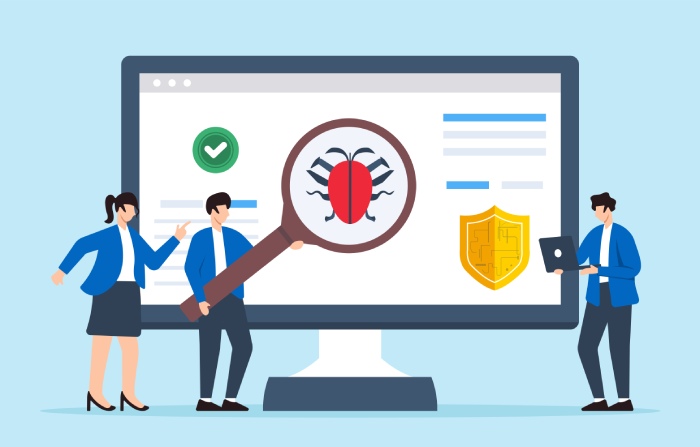
Before we look at ways of protection against malware, let us do a quick recap on what malware is and the extent of damage it can cause. Malware is malicious software that can harm your computer systems considerably if the system is left unprotected (without any anti-malware software program installed). Hackers use malware to gain access to an organization’s computer networks or user’s personal computers. Every phishing attempt made by cyber adversaries is accompanied by introducing malware into your computer systems so that they can exploit it at some later time.
What Harms Can Malware Cause?
Malware comes in various types and forms, such as viruses, spyware, ransomware, botnets, adware, trojan horse programs, and so on. Malware is a software program that can attach itself to your computer files(e.g. .pdf, .doc, .jpeg, etc.) and manipulate or wipe out your valuable data. Hackers can gain vital information about your financial details, usernames, passwords, and by using this information they can cause tremendous financial harm. A malware infection can also result in identity theft, information loss. Therefore, one should employ phishing and malware protection measures on their computer systems and other internet-accessing devices.
Malware Prevention Best Practices
“over 90% of ransomware attacks begin with a phishing email (Verizon 2024 Data Breach Investigations Report) email. Blocking the phishing email is the most effective ransomware prevention strategy available - it stops the attack at the earliest possible stage, before any malware reaches your network. Every ransomware incident we’ve investigated started with an email that should have been caught.” - Vasile Diaconu, Operations Lead, DuoCircle
The ideal method to deal with malware is to ensure that you do not get infected by it. However, some things in the world are easy in theory and extremely challenging in practice. Nevertheless, prevention is the best option when it comes to dealing with malware.
Here are some malware prevention best practices that can help you protect your information systems.
Use a robust antivirus software solution
Antivirus software is excellent when you use it to combat basic non-targeted malware. It can handle many types of phishing attack in which the hackers do not try to target any specific user. Antivirus software solutions can fail if there is a targeted attack on computer networks. A prime example is that of the Chinese Government hacking attacks to infiltrate into the New York Times.
Otherwise, the best way to deal with malware is the use of robust antivirus software. Installing the right antivirus solution on your computer systems and smartphones can help keep a significant proportion of malware at bay. However, one should ensure to update the antivirus software at regular intervals. Renewing the subscription is also essential, as a delay of even one day should be enough for hackers to complete their mission.
Update your computer software systems
Zero-day attacks can happen unannounced. Besides, most of the antivirus software solutions do not anticipate zero-day attacks. The best way to safeguard your information systems from such malware is to update them whenever an update is available. Software developers usually release updates at regular intervals. Having the latest version of the software ensures that your system has the most recent security patches in place.
Beware of suspicious attachments
Phishing attempts invariably take place through email attachments. Hackers send emails with malicious content in the form of weblinks or email attachments. Unsuspecting users click on such links or download these attachments to release the virus or malware into the system.
Installing high-quality antivirus protection software and spam filters can arrest this problem, but awareness among users is the best way to tackle phishing attempts. Gmail has a feature that allows you to open attachments without downloading them. It can prove to be handy, especially if you suspect the attachment to contain malicious content. However, these tactics do not work against specifically targeted attempts, as discussed earlier.
Always be on guard and note indicators of compromise
Antivirus solutions can let through unknown malware. However, the user can notice the signs of an attack if he/she is agile enough. Indicators of compromise are nothing but signs or clues that your computer system is affected by malware. You can spot unusual activities on your information system, such as turning on the light near your webcam in spite of not having activated it. Being vigilant can help you to notice such abnormal activity quickly.
Protection Against Ransomware
Hackers today are becoming smarter by the day. Ransomware is one of the most common malware affecting computers worldwide today. Phishing emails are the mode of delivery of ransomware. Cybercriminals use ransomware to break into your computer systems, encrypt the critical data therein, and demand the payment of a ransom to decrypt the data. Some of the best ways of protection against ransomware are to take regular backups, store backups separately, and train your staff correctly to deal with such issues.
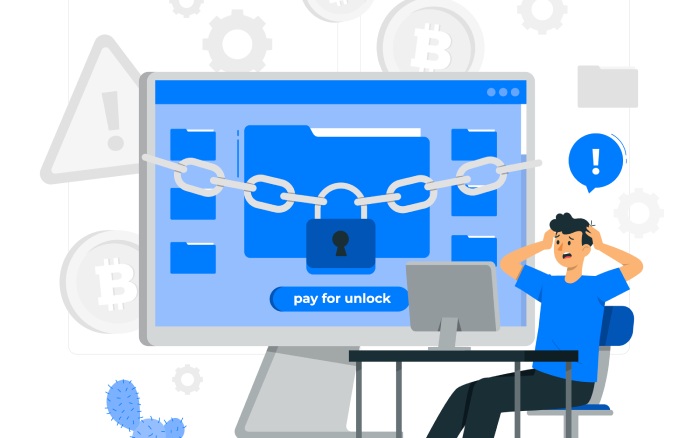
Exercising caution is the best way to deal with ransomware. However, if your system does become a victim of ransomware, the ideal means of dealing with the situation are as follows.
- Individual home users should report the matter to the local cyber crime cell of the police and seek assistance.
- Employees of an organization should report such instances to the IT helpdesk/security office.
- Organizations should report such instances to the regulatory bodies, government cyber cells to help them combat cybercrime.
- Users should immediately change all passwords after removing the ransomware to prevent criminals from taking undue advantage.
Conclusion
Malware attacks can come unannounced. Hence, everyone should be prepared to face such a situation. Some of the best countermeasures to ensure protection against malware are to update the software systems at regular intervals, install antivirus programs, and be vigilant. Increasing the awareness levels of your staff can also prevent phishing attempts by cybercriminals. Protection against malware should be one of your priorities at all times.
Topics
General Manager
General Manager of DuoCircle. Product strategy and commercial lead across DuoCircle's 2,000+ customer base.
LinkedIn Profile →Protect your inbox from phishing attacks
Real-time email security with 60-day free trial. No credit card required.